
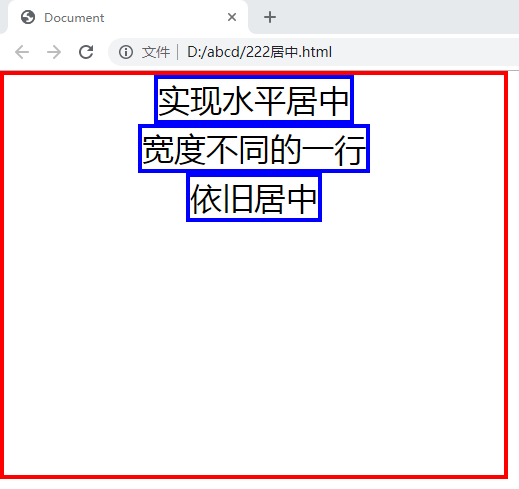
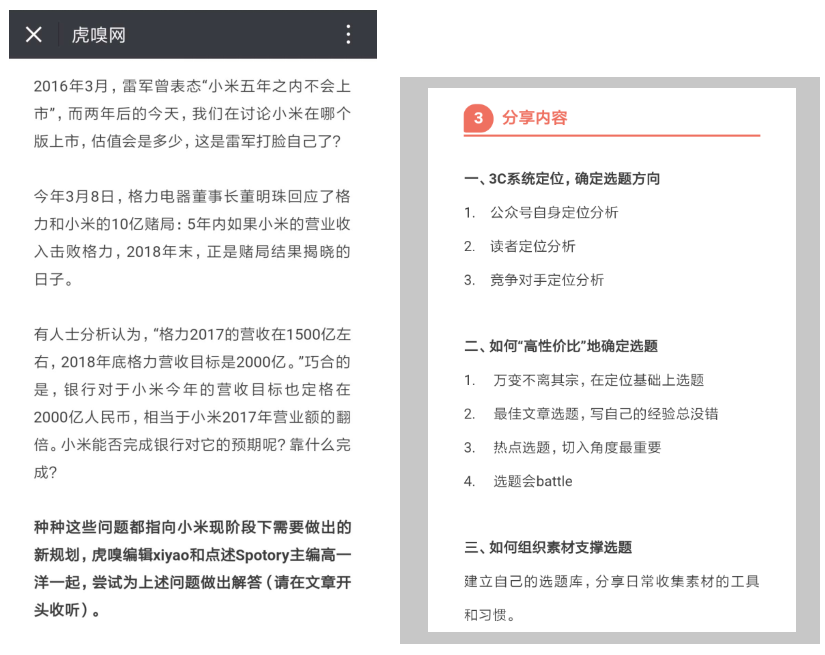
让一个div或者一段文字亦或者一张照片居中显示的问题,面试的过程中也经常被问到。相信大家都日常的布局也经常会用到,回答出个三两种解决方案亦不是难事。但今天我细究了一下,发现还有新大陆可寻,特意留此博文总结一下,与君分享!如果你有新的方法,欢迎补充!
我们先从固定宽高的div开始
为方便演示,默认宽高各为100px的div
<div class="wrapper"><div class="content"></div></div>
以下方式全部是水平及垂直居中
方法一:padding填充
.content{margin: 0 auto;padding: 50px;width: 100px;height: 100px;background-color: red;}
优点:兼容性非常好
缺点:如果父级的高度受到兄弟节点的影响,这样自己就不居中了
方法二:绝对定位
.wrapper{position: relative;}.content{position: absolute;left: 50%;top: 50%;margin-top: -50px;margin-left: -50px;width: 100px;height: 100px;background-color: red;}
优点:兼容性非常好
缺点:需要提前知道div的宽高,实用性偏弱
方法三:计算属性(calc)
.content{margin: calc((100% - 100px) / 2);width: 100px;height: 100px;background-color: red;}
优点:感觉不到有什么优点
缺点:不仅需要提前知道div的宽高css居中,而且浏览器对calc的属性支持程度不一,会有兼容问题。不推荐使用,建议作为了解
接下来是不固定宽高的div
为方便演示,还是默认宽高各为100px的div
方法四:absolute + margin: auto;
.wrapper{ position: relative; }.content{ position: absolute; left: 0; right: 0; top: 0; bottom: 0; margin: auto; width: 100px; height: 100px; background-color: red;}优点:不需要提前知道尺寸,兼容性好
缺点:暂时没有什么要说的,可能理解起来比较麻烦吧
解析:
1、我们先让content脱离文档流,然后设置上右下左四个位置均为0
2、给它固定宽高,限制大小
3、利用margin属性,均分外边距

方法四:absolute + transform
.content{position: absolute;left: 50%;top: 50%;width: 100px;height: 100px;transform: translate(-50%,-50%);background-color: red;}
优点:除了不用提前知道大小好像也没什么了
缺点:兼容性偏弱
方法五:父级flex布局
.wrapper{display: flex;justify-content: center;align-items: center;}
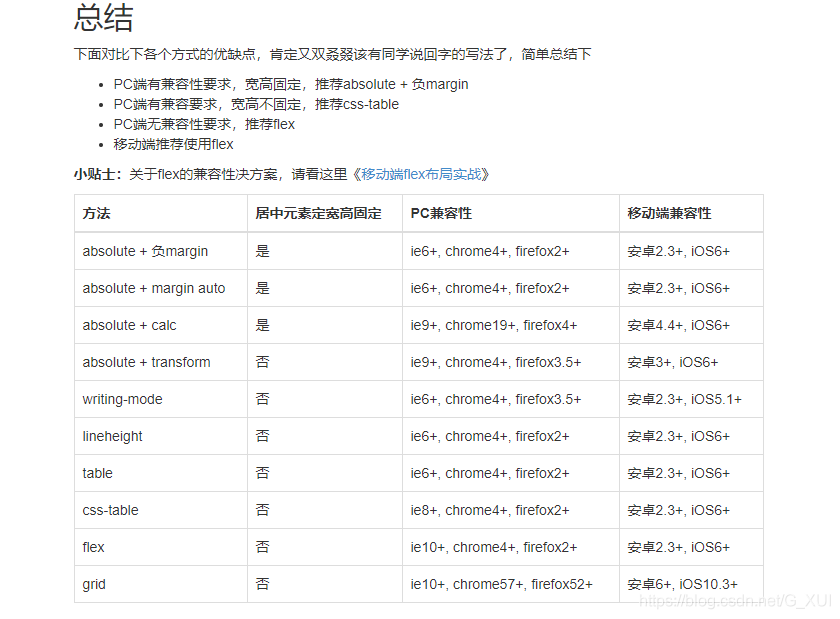
优点:写法极度简单明了
缺点:就是兼容性偏差,未来它可能是解决居中的王道(个人观点)
方法六:父级table布局
.wrapper{display: table-cell;vertical-align: middle;}.content{margin: 0 auto;}
优点:写法极度简单明了,兼容性极好
缺点:就是有点老了
还有一个更古老(有毒)的想法:
<table style="table-layout:fixed; width: 400px;"><tr><td height="400" align="center" valign="middle"><div class="content"></div></td></tr></table>
说!你们是不是想说:


说实话,都9012年,谁要是在我的项目里这么干

方法七:伪元素
.wrapper{width: 400px;height: 400px;text-align: center;border: 2px solid blue;}.wrapper:after{content: '';display: inline-block;height: 100%;vertical-align: middle;}.content{display: inline-block;vertical-align: middle;width: 100px;height: 100px;background-color: red;}
方法八:伪元素的另外一种实现方式(兄弟节点)
html:
<div class="wrapper"><div class="content">
<div class="brother"> style:
.wrapper{width: 400px;height: 400px;text-align: center;border: 2px solid blue;}.content, .brother {display: inline-block;vertical-align: middle;}.content {width: 100px;height: 100px;background-color: red;}.brother {height: 400px;}
说实话,我也不知道这是为什么,《CSS世界》第四章在讲解这个,如果有需要PDF换私信我哦!我要跑步去了,恐怕没有时间了css居中,下次知道原因再给家解析吧,或者评论告诉我。

再补充点吧!
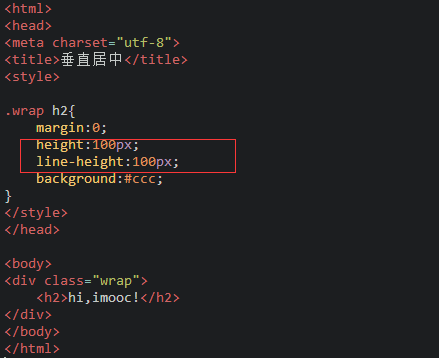
方法九:line-heght(仅限单行文字垂直居中)
.wrapper {
height: 400px;
line-height: 400px;
border: 1px solid red;
}
img居中
如同这样的效果:

其实上面的方法一道八变通一下,都可以实现图片的居中,这里再分享一个奇技淫巧!
.wrapper{width: 400px;height: 400px;text-align: center;border: 2px solid blue;background-image: url('./bg.jpg');background-repeat: no-repeat;background-position: center;}
就是background-position:center
限 时 特 惠: 本站每日持续更新海量各大内部创业教程,加站长微信免费获取积分,会员只需38元,全站资源免费下载 点击查看详情
站 长 微 信: thumbxmw
